제품 라인업 × 장면
모든 모델을, 모든 장면에.
라인업 전체를 홍보해야 하는 딜러와 브랜드를 위해. 모델은 한 목록에, 장면은 다른 목록에 적으세요. 배치가 헤드라인 넣을 자리가 있는 와이드 이미지로 모든 조합을 만들어요.
기본 모델 GPT Image 2 · 2:1 · 텍스트만 — 사진 없이도 돼요
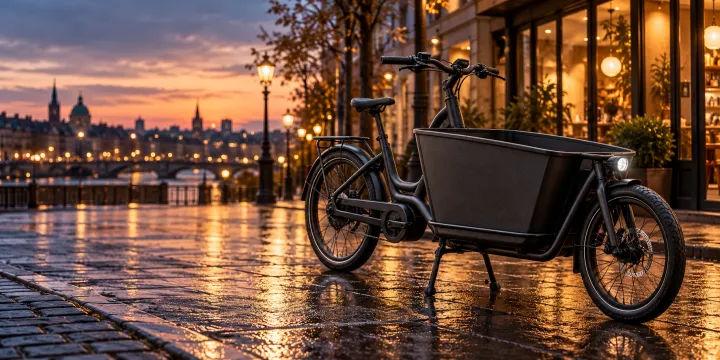
바로 이 레시피로 렌더링했어요.
이 이미지들은 이 템플릿으로 만든 것이고, 각 이미지 아래에 프롬프트가 있어요. 내 배치도 같은 레시피에 내 사진과 내 문구를 넣어 만들어져요.
- 01 · a matte black electric cargo bike · on a wet city street at dusk with glowing shop windows
Advertising photo of a matte black electric cargo bike on a wet city street at dusk with glowing shop windows. Hero composition with the product as the clear focus, premium commercial lighting, calm space on one side for a headline. Unbranded: no logos, no text, no watermark.
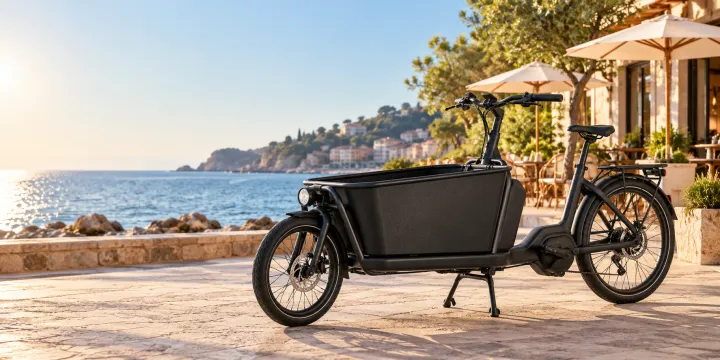
- 02 · a matte black electric cargo bike · in front of a sunny seaside café in the morning
Advertising photo of a matte black electric cargo bike in front of a sunny seaside café in the morning. Hero composition with the product as the clear focus, premium commercial lighting, calm space on one side for a headline. Unbranded: no logos, no text, no watermark.
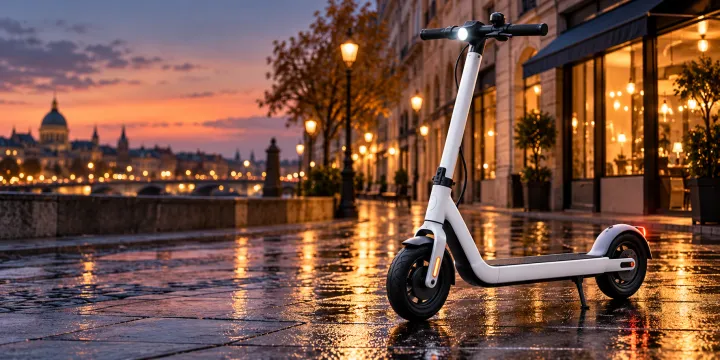
- 03 · a compact white city e-scooter · on a wet city street at dusk with glowing shop windows
Advertising photo of a compact white city e-scooter on a wet city street at dusk with glowing shop windows. Hero composition with the product as the clear focus, premium commercial lighting, calm space on one side for a headline. Unbranded: no logos, no text, no watermark.
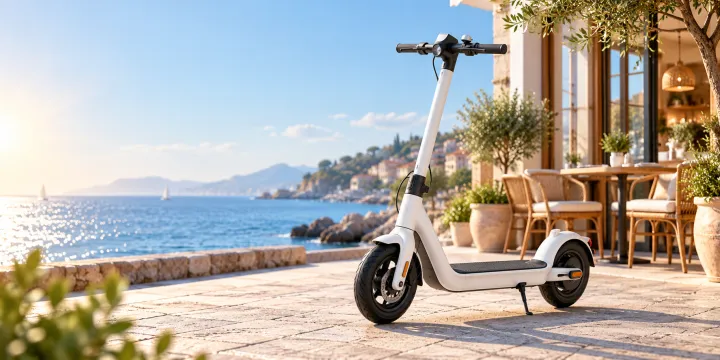
- 04 · a compact white city e-scooter · in front of a sunny seaside café in the morning
Advertising photo of a compact white city e-scooter in front of a sunny seaside café in the morning. Hero composition with the product as the clear focus, premium commercial lighting, calm space on one side for a headline. Unbranded: no logos, no text, no watermark.
필요한 건 항목 몇 개, 프롬프트가 아니에요.
제품
한 줄에 제품 또는 모델 하나.
무광 블랙 전기 카고 자전거 · 컴팩트한 흰색 전동 킥보드
장면
한 줄에 장면 하나. 모든 제품이 모든 장면에 들어가요.
해 질 녘 비에 젖은 도시 거리 · 아침의 바닷가 카페 앞
브랜드 또는 캠페인선택
예: 도심형 자전거 매장의 봄 캠페인
레시피를 넣으면 배치가 나와요.
- Step 01
템플릿 채우기
사진을 넣고, 리스트를 입력하고, 옵션을 체크하세요. 체크한 옵션마다 각각의 이미지로 곱해져요.
- Step 02
계획 확인하기
템플릿이 이미지마다 프롬프트를 하나씩 쓰고, 전체 목록을 크레딧 비용과 함께 보여 줘요. 어떤 줄이든 고치거나 지울 수 있어요.
- Step 03
렌더링하고 다운로드
배치는 한 번에 실행돼요. 결과는 라이브러리에 보관하거나 ZIP 하나로 전부 다운로드하세요.
제품 라인업 × 장면 — FAQ
Q1몇 장이 나오나요?
제품 수 × 장면 수예요. 제품 두 개를 장면 두 개에 넣으면 네 장이에요. 결제 전에 모든 조합이 생성 계획에 표시돼요.
Q2실제 제품 사진을 쓸 수 있나요?
이 템플릿은 설명으로 만들어서 사실적이지만 브랜드 없는 버전이 나와요. 실제 제품을 그대로 유지하려면 사진을 ‘실제 공간 속 상품’에 올리세요.
Q3비율을 바꿀 수 있나요?
네. 이메일 헤더용 2:1로 시작해요. 배너와 SNS 광고용으로는 설정에서 16:9, 1:1, 4:5로 바꾸세요.



 내 사진
내 사진