통일된 스타일의 캐러셀
한 줄에 슬라이드 하나. 모두 같은 룩으로.
캐러셀과 Pinterest 세트는 모든 슬라이드가 어울릴 때 효과가 있어요. 한 줄에 슬라이드 하나씩 적고, 룩과 브랜드 색상을 고르고, 그 줄을 헤드라인으로 넣을지 정하세요. 시리즈 전체가 하나의 스타일로 나와요.
기본 모델 GPT Image 2 · 4:5 · 텍스트만 — 사진 없이도 돼요



바로 이 레시피로 렌더링했어요.
이 이미지들은 이 템플릿으로 만든 것이고, 각 이미지 아래에 프롬프트가 있어요. 내 배치도 같은 레시피에 내 사진과 내 문구를 넣어 만들어져요.
- 01 · You are allowed to rest
Social media slide: "You are allowed to rest". simple warm line-art illustration on a flat colored background, brand colors: soft peach and warm orange, the same visual identity as every other slide in the series, generous margins. Set the line's words as a large, legible headline, spelled exactly as written. No other text, no watermark.
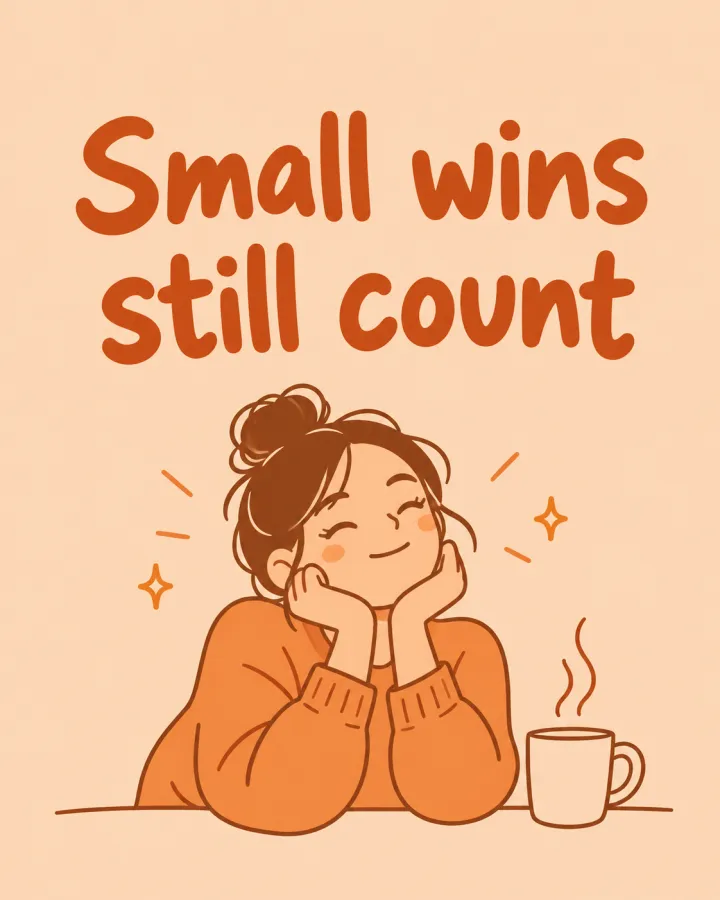
- 02 · Small wins still count
Social media slide: "Small wins still count". simple warm line-art illustration on a flat colored background, brand colors: soft peach and warm orange, the same visual identity as every other slide in the series, generous margins. Set the line's words as a large, legible headline, spelled exactly as written. No other text, no watermark.
- 03 · Ask for help early
Social media slide: "Ask for help early". simple warm line-art illustration on a flat colored background, brand colors: soft peach and warm orange, the same visual identity as every other slide in the series, generous margins. Set the line's words as a large, legible headline, spelled exactly as written. No other text, no watermark.
- 04 · Sleep is part of the work
Social media slide: "Sleep is part of the work". simple warm line-art illustration on a flat colored background, brand colors: soft peach and warm orange, the same visual identity as every other slide in the series, generous margins. Set the line's words as a large, legible headline, spelled exactly as written. No other text, no watermark.
필요한 건 항목 몇 개, 프롬프트가 아니에요.
슬라이드
한 줄에 슬라이드 하나.
쉬어도 괜찮아요 · 작은 성취도 소중해요
스타일선택
라인 아트플랫 일러스트사진콜라주브랜드 색상선택
예: 부드러운 피치와 따뜻한 오렌지
헤드라인선택
줄을 헤드라인으로텍스트 없음
레시피를 넣으면 배치가 나와요.
- Step 01
템플릿 채우기
사진을 넣고, 리스트를 입력하고, 옵션을 체크하세요. 체크한 옵션마다 각각의 이미지로 곱해져요.
- Step 02
계획 확인하기
템플릿이 이미지마다 프롬프트를 하나씩 쓰고, 전체 목록을 크레딧 비용과 함께 보여 줘요. 어떤 줄이든 고치거나 지울 수 있어요.
- Step 03
렌더링하고 다운로드
배치는 한 번에 실행돼요. 결과는 라이브러리에 보관하거나 ZIP 하나로 전부 다운로드하세요.
통일된 스타일의 캐러셀 — FAQ
Q1헤드라인 철자가 정확하게 들어가나요?
프롬프트가 적은 그대로의 텍스트를 요청하고, 글자 표현에 강한 GPT Image 2로 시작해요. 헤드라인은 짧게 쓰고, 게시 전에 슬라이드를 하나하나 확인하세요.
Q2텍스트를 직접 넣을 수도 있나요?
‘텍스트 없음’을 고르면 모든 슬라이드에 디자인 도구에서 직접 글자를 넣을 깨끗한 영역이 남아요.
Q3어떤 크기가 잘 맞나요?
피드용 4:5로 시작해요. Pinterest용이면 설정에서 1:1이나 세로로 긴 비율로 바꾸세요.
 내 사진
내 사진

 내 사진
내 사진

