카테고리 배너
모든 카테고리 페이지에 전용 배너를.
디렉터리, 강의 사이트, 마켓플레이스에는 이미지 없는 카테고리 페이지가 수십 개씩 있어요. 카테고리를 적고 사진, 플랫, 3D 중에서 고르면, 모든 페이지가 그 활동을 하는 사람들이 담긴 와이드 배너를 갖게 돼요. 제목을 넣을 공간도 남겨 둬요.
기본 모델 GPT Image 2 · 16:9 · 텍스트만 — 사진 없이도 돼요

바로 이 레시피로 렌더링했어요.
이 이미지들은 이 템플릿으로 만든 것이고, 각 이미지 아래에 프롬프트가 있어요. 내 배치도 같은 레시피에 내 사진과 내 문구를 넣어 만들어져요.
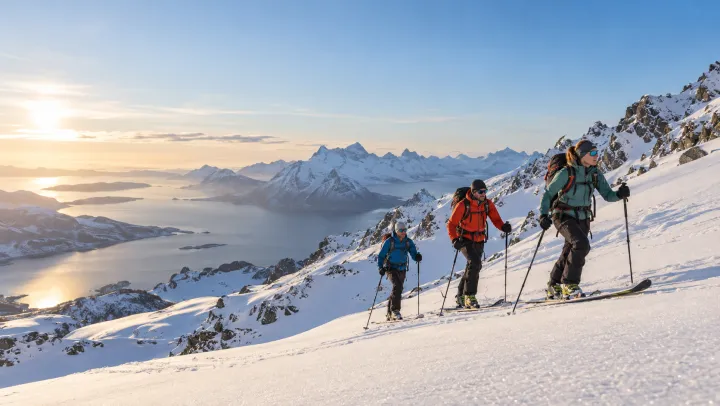
- 01 · Ski mountaineering
Header banner for the category "Ski mountaineering": photorealistic candid documentary photograph, natural light, adults of different ages and backgrounds, showing people actually doing it, wide composition with calm space on one side for a heading. No text, no logos, no watermark.
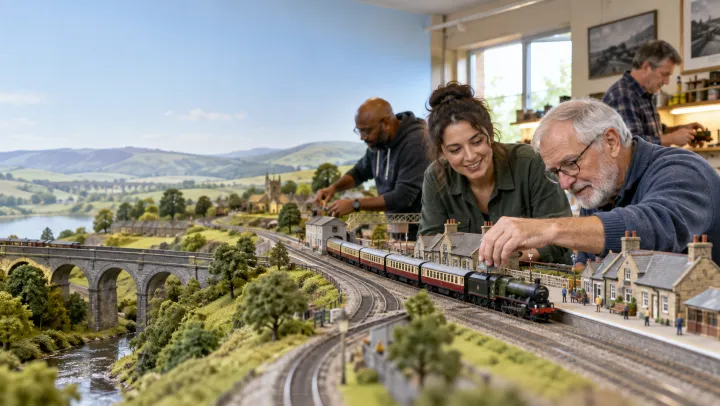
- 02 · Model railways
Header banner for the category "Model railways": photorealistic candid documentary photograph, natural light, adults of different ages and backgrounds, showing people actually doing it, wide composition with calm space on one side for a heading. No text, no logos, no watermark.
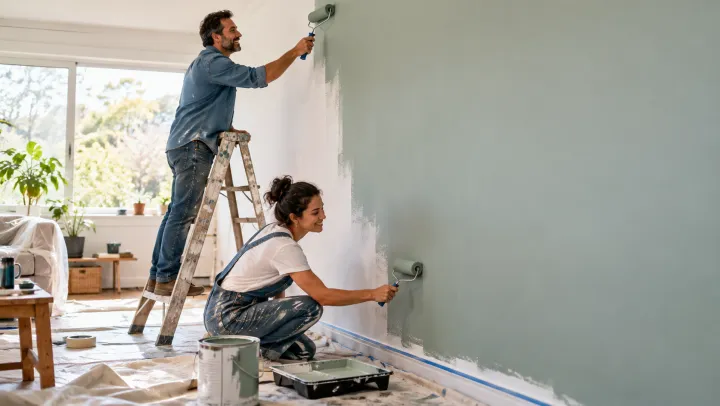
- 03 · Community volunteering
Header banner for the category "Community volunteering": photorealistic candid documentary photograph, natural light, adults of different ages and backgrounds, showing people actually doing it, wide composition with calm space on one side for a heading. No text, no logos, no watermark.
- 04 · Home improvement
Header banner for the category "Home improvement": photorealistic candid documentary photograph, natural light, adults of different ages and backgrounds, showing people actually doing it, wide composition with calm space on one side for a heading. No text, no logos, no watermark.
필요한 건 항목 몇 개, 프롬프트가 아니에요.
카테고리
한 줄에 하나. 생각해 둔 장면이 있으면 대시 뒤에 적어 주세요.
산악 스키 · 철도 모형 — 큰 레이아웃을 운행하는 동호회
스타일선택
사진플랫 일러스트3D웹사이트선택
예: 동네 취미 동호회 모음 사이트
레시피를 넣으면 배치가 나와요.
- Step 01
템플릿 채우기
사진을 넣고, 리스트를 입력하고, 옵션을 체크하세요. 체크한 옵션마다 각각의 이미지로 곱해져요.
- Step 02
계획 확인하기
템플릿이 이미지마다 프롬프트를 하나씩 쓰고, 전체 목록을 크레딧 비용과 함께 보여 줘요. 어떤 줄이든 고치거나 지울 수 있어요.
- Step 03
렌더링하고 다운로드
배치는 한 번에 실행돼요. 결과는 라이브러리에 보관하거나 ZIP 하나로 전부 다운로드하세요.
카테고리 배너 — FAQ
Q1제목을 넣을 공간이 있나요?
네. 모든 배너가 한쪽에 차분한 여백을 두고 구성돼서, 장면을 가리지 않고 텍스트를 올릴 수 있어요.
Q2카테고리마다 장면을 지정할 수 있나요?
대시 뒤에 적으세요. 예를 들면 ‘철도 모형 — 큰 레이아웃을 운행하는 동호회’처럼요. 적지 않으면 템플릿이 대표적인 장면을 골라요.
Q3더 가로로 긴 배너도 만들 수 있나요?
이 템플릿은 16:9로 시작해요. 레이아웃에 필요하면 설정에서 더 넓은 비율을 고르세요.




 내 사진
내 사진





