統一デザインのカルーセル
1行に1スライド。すべて同じデザインで。
カルーセルやPinterestのセットは、すべてのスライドがそろってこそ効果があります。1行に1スライド書き、見た目とブランドカラーを選び、行を見出しにするかどうかを決めてください。シリーズ全体がひとつのスタイルで仕上がります。
初期モデル GPT Image 2 · 4:5 · テキストのみ — 写真は不要です

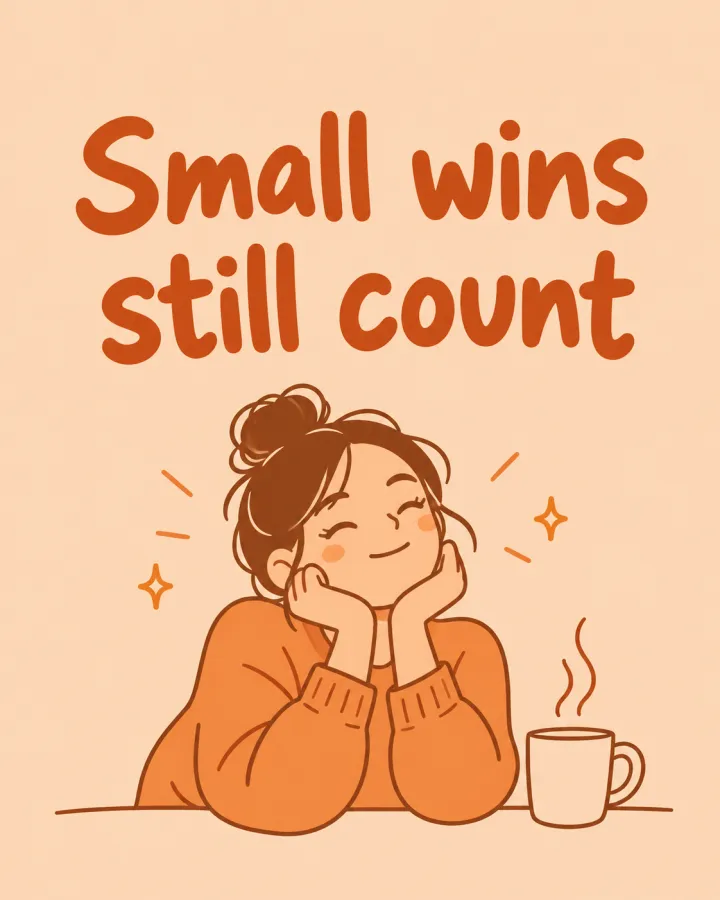


このレシピそのままで生成しました。
これらの画像はこのテンプレートで生成したもので、各画像の下にプロンプトを載せています。あなたのバッチでも、同じレシピにあなたの写真と言葉を組み合わせて生成します。
- 01 · You are allowed to rest
Social media slide: "You are allowed to rest". simple warm line-art illustration on a flat colored background, brand colors: soft peach and warm orange, the same visual identity as every other slide in the series, generous margins. Set the line's words as a large, legible headline, spelled exactly as written. No other text, no watermark.
- 02 · Small wins still count
Social media slide: "Small wins still count". simple warm line-art illustration on a flat colored background, brand colors: soft peach and warm orange, the same visual identity as every other slide in the series, generous margins. Set the line's words as a large, legible headline, spelled exactly as written. No other text, no watermark.
- 03 · Ask for help early
Social media slide: "Ask for help early". simple warm line-art illustration on a flat colored background, brand colors: soft peach and warm orange, the same visual identity as every other slide in the series, generous margins. Set the line's words as a large, legible headline, spelled exactly as written. No other text, no watermark.
- 04 · Sleep is part of the work
Social media slide: "Sleep is part of the work". simple warm line-art illustration on a flat colored background, brand colors: soft peach and warm orange, the same visual identity as every other slide in the series, generous margins. Set the line's words as a large, legible headline, spelled exactly as written. No other text, no watermark.
必要なのはプロンプトではなく、いくつかの項目だけ。
スライド
1行に1スライド。
休んでもいいんです · 小さな一歩も前進です
見た目任意
線画フラットイラスト写真コラージュブランドカラー任意
例:やわらかいピーチと温かみのあるオレンジ
見出し任意
行を見出しにする文字なし
レシピを入れれば、バッチで完成。
- Step 01
テンプレートに入力する
写真を追加し、リストを入力し、オプションにチェックを入れます。チェックしたオプションごとに、それぞれ別の画像が作られます。
- Step 02
プランを確認する
テンプレートが画像1枚につき1つのプロンプトを書き出し、クレジット費用とあわせて一覧で表示します。どの行も編集・削除できます。
- Step 03
生成してダウンロード
バッチは一度にまとめて実行されます。結果はライブラリに保存することも、ZIPひとつでまとめてダウンロードすることもできます。
統一デザインのカルーセル — よくある質問
Q1見出しの綴りは正しく入りますか?
プロンプトでは書いたとおりの文字を指定し、文字の表現に強いGPT Image 2で始まります。見出しは短くし、投稿前にすべてのスライドを確認してください。
Q2文字は自分で入れられますか?
「文字なし」を選ぶと、どのスライドにも、デザインツールで文字を入れるための余白が残ります。
Q3どのサイズに対応していますか?
フィード向けの4:5で始まります。Pinterest用には、設定で1:1や縦長の比率に切り替えてください。
 元の写真
元の写真



 元の写真
元の写真

